

The moment a message disappears, panic usually arrives first
The shock is instant. One second, a conversation is there. The next, it is gone, and your thumb is frozen over the screen. That is why “recently deleted messages iphone” has become such a hot search phrase: people are not just trying to fix a phone problem, they are trying to recover a moment, a detail, or even a memory they did not expect to lose. Apple’s current guidance gives users a clear path, but the window is limited, and that makes timing everything. (Apple Support)
What makes the situation feel so urgent is that many users still assume deleted texts vanish forever the second they disappear. Apple’s Messages app now includes a built-in Recently Deleted area, which means the story is more hopeful than it used to be. Still, the system is not magic. The recovery tool only works within Apple’s documented retention period, so the clock matters from the moment the message is removed. (Apple Support)
What Apple actually lets you recover now
Apple says you can recover deleted messages in the Messages app for up to 30 days. That applies to either individual messages or full conversations, and the company now places the recovery option directly inside the Messages app rather than hiding it behind a complicated workaround. For anyone searching “recently deleted messages iphone,” that is the most important fact to know before anything else. (Apple Support)
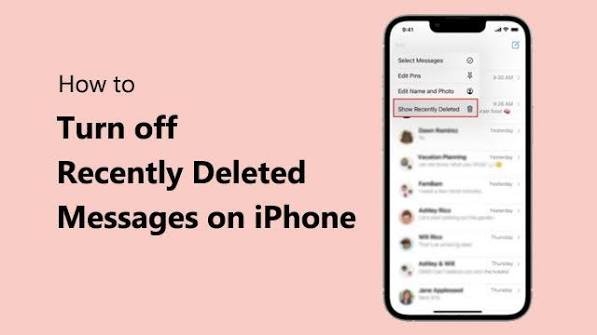
The process is simple enough that it feels almost surprising. Open Messages, tap the Filter button at the top of the conversation list, and then choose Recently Deleted. From there, you can select the conversations you want and tap Recover. Apple’s support pages also note that you can recover a single message or multiple messages from the selected conversation. In other words, the feature is built for both small mistakes and bigger cleanup disasters. (Apple Support)
Why this recovery window matters more than most people realize
The 30-day window changes the way people think about deleting texts. It is no longer just about accidental swipes or clearing clutter. It is also about whether a user catches the mistake fast enough to act before the recovery shelf runs out. Apple’s support pages make the limit clear, and that reality is the headline for anyone searching “recently deleted messages iphone” after a bad tap. (Apple Support)
That deadline is why many users now treat message deletion more carefully than they treat photo deletion, app deletion, or even email cleanup. Once the 30 days pass, Apple no longer documents the conversation as recoverable from Recently Deleted. At that point, people usually have to look at broader backup options instead of relying on the Messages app itself. (Apple Support)
The fastest way to check Recently Deleted on an iPhone
If someone is staring at an empty conversation list right now, the first move is not panic. It is a quick check in the Messages app. Apple’s steps are straightforward: open Messages, tap Filter, then open Recently Deleted. Select the conversation, and recover it. This direct route is exactly why the phrase “recently deleted messages iphone” is so relevant today; the feature lives in a familiar place, not in some hidden repair menu. (Apple Support)
The same Apple guidance shows that recovery is possible from the same area whether a user wants to restore a full thread or just a portion of it. That makes the feature practical for real-life situations, like rescuing an address, a work update, or an important confirmation code that was deleted too soon. It is a small design choice, but it can save a lot of stress in a big moment. (Apple Support)
iCloud can change the odds in your favor
There is another layer to the story, and it matters a lot: iCloud. Apple says that when Messages in iCloud is turned on, your messages are stored in the cloud and kept in sync across devices signed into the same Apple Account. That means the message history can follow you to a new iPhone, iPad, or Mac, which is a major reason people should think about syncing before disaster strikes. (Apple Support)
Apple also says iCloud Backup can preserve device data that is not regularly synced, and that users can restore an iPhone from an iCloud backup if needed. That does not mean every deleted message is guaranteed to return, but it does mean the smartest recovery strategy is a two-part habit: use the built-in Recently Deleted folder quickly, and keep backups turned on in the background. For anyone following “recently deleted messages iphone” advice, that combination is the real safety net. (Apple Support)
The most common mistakes people make when trying to recover texts
The biggest mistake is waiting too long. A message that could have been restored in minutes can become much harder to deal with after the 30-day Apple window closes. Another common error is assuming that deleting a conversation removes every possible copy right away. Apple’s current system is more nuanced than that, especially when Messages in iCloud is enabled. That is why the search term “recently deleted messages iphone” keeps trending: many users are learning the rules only after they need them. (Apple Support)
A second mistake is jumping straight to third-party promises without first checking Apple’s own recovery tools. The official process is built into Messages, and Apple’s support pages are clear about the path. That matters because it keeps users from wasting time on guesswork when the answer may already be sitting inside the app. In practical terms, the first place to look is still the Messages filter, not a random app store download. (Apple Support)
What this says about the future of iPhone message recovery
Apple’s approach suggests a bigger trend: data recovery is becoming more visible, more controlled, and more user-friendly. Instead of forcing people into technical workarounds, the company now gives them a Recently Deleted section with a clear deadline. That is a meaningful shift, because it turns message recovery from a hidden trick into a normal part of everyday iPhone use. The rise of searches for “recently deleted messages iphone” shows that users are noticing the change. (Apple Support)
The future is likely to bring even more emphasis on sync, backup, and account-based recovery. Apple already highlights Messages in iCloud and iCloud Backup as key parts of the ecosystem, so the trend is easy to see: keep your messages available across devices, keep backups running, and recover mistakes faster when they happen. For now, the smartest move is simple. Check Recently Deleted quickly, keep iCloud settings healthy, and do not assume a vanished chat is gone for good until the 30-day window closes. (Apple Support)
The bottom line every iPhone user should remember
The real lesson is not just about one deleted text. It is about how much control iPhone users now have if they act fast. Apple’s current system gives a clear, time-limited recovery path for deleted conversations, and that alone makes “recently deleted messages iphone” one of the most useful search phrases a panicked user can type. But speed matters, and backups matter even more. (Apple Support)
If a message matters, do not wait until tomorrow to check it. Open Messages, tap Filter, look in Recently Deleted, and recover what you can while the 30-day window is still open. Then turn attention to iCloud settings so the next accident is easier to handle. That is the cleanest way to stay ahead of the problem instead of reacting to it after the clock runs out. (Apple Support)
You may also read
https://docs.google.com/document/d/1mz6TeXEFW0mKKkzi97atwKIq1VrMXgCMhYaxppZWWK0/edit?usp=sharing